
Getting vLLM v0.9.2 working on CUDA 12.4 on QNAP (Driver 550.76)
Getting vLLM v0.9.2 running on CUDA 12.4 with an older QNAP NAS and Nvidia driver 550.76 using a custom Docker build.
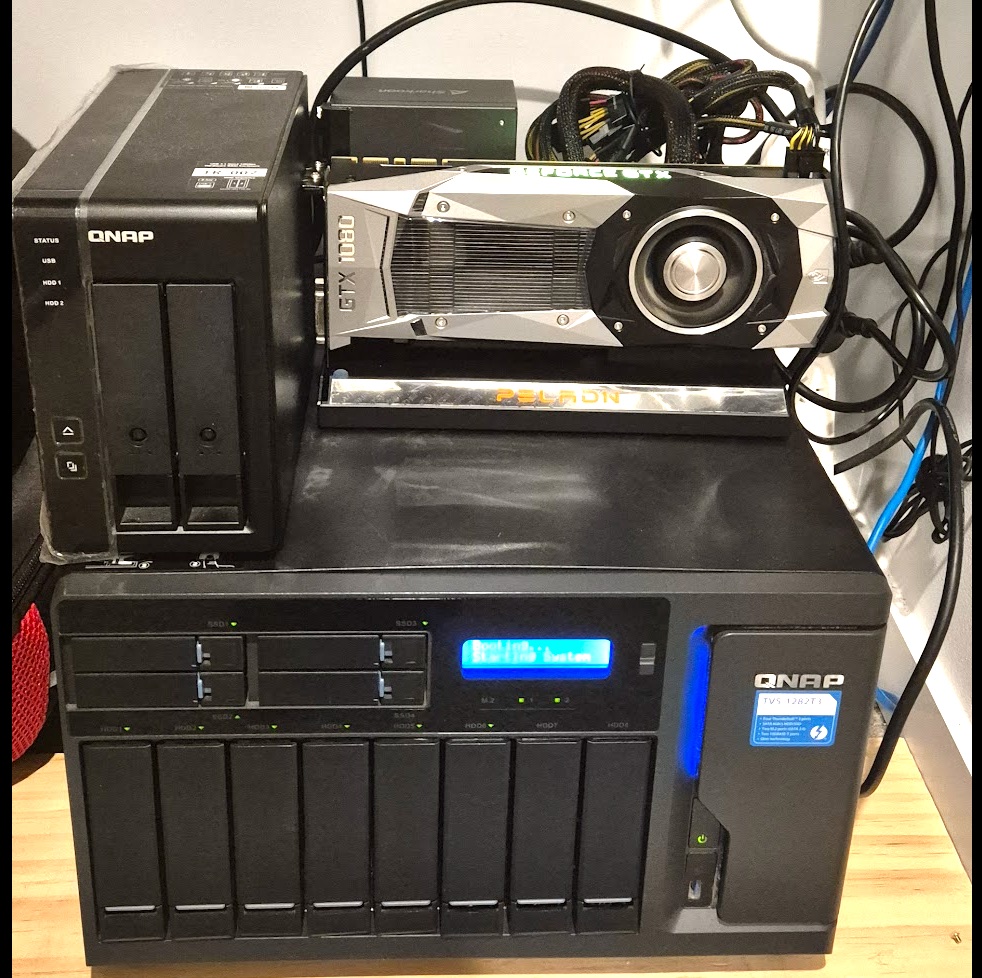
This is mostly because this has driven me mad for the past day.
It seems at some point that vLLM rebased their entire platform to CUDA 12.8.
Because QNAP is extremely slow at releasing updates to NVIDIA drivers (and because I am a sadist who refuses to upgrade to a server (because the GB10 computers come out soon!) this has basically caused vLLM to fail and the only solution offered was to drop back to the 0.8.x branch.
This has been a headache for a number of reasons:
#1 — I’m using old GPU’s that have relatively crappy compute capabilities
#2 — Building anything on QNAP is a headache.
So hopefully if you are like me and tearing your hair out because you need every ounce of throughput you can (meaning version 0.9.2) this might help:
What are we doing?
We are going to rebuild the vllm docker image from scratch using CUDA 12.4 and Torch 2.6.0-cu124.
How?
Please enjoy the fruits of my labour and the cause of me feeling very tired this morning as I was up past midnight trying to get this sorted.
Dockerfile.vllm-cu124
# ---------- Build stage ----------
FROM nvidia/cuda:12.4.1-devel-ubuntu22.04 AS build

ENV DEBIAN_FRONTEND=noninteractive
ENV MAX_JOBS=8
ENV PIP_NO_BUILD_ISOLATION=1

#Replace this with the compute capability for your GPU's
ENV TORCH_CUDA_ARCH_LIST=8.6

RUN apt-get update && \
    apt-get install -y --no-install-recommends \
        git build-essential cmake ninja-build curl ca-certificates \
        python3 python3-venv python3-pip python3-dev python-is-python3 && \
    python3 -m pip install --upgrade pip numpy==1.26.4

RUN python3 -m pip install --extra-index-url https://download.pytorch.org/whl/cu124 \
        torch==2.6.0+cu124 torchvision==0.21.0+cu124

# Clone vLLM and build wheel
RUN git clone --branch v0.9.2 https://github.com/vllm-project/vllm.git /vllm

WORKDIR /vllm

# This is slow as balls
RUN python3 -m pip wheel .[flash-attn] -w /tmp/wheels

# ---------- Runtime stage ----------
FROM nvidia/cuda:12.4.1-runtime-ubuntu22.04

ENV PYTHONUNBUFFERED=1
ENV NVIDIA_VISIBLE_DEVICES=all

RUN apt-get update && \
    apt-get install -y --no-install-recommends \
        python3 python3-venv python3-pip python-is-python3 python3-dev gcc g++ build-essential && \
    python3 -m pip install --upgrade pip numpy==1.26.4

# **Install C compiler and build tools**
RUN apt-get update && \
    apt-get install -y --no-install-recommends gcc g++ build-essential

COPY --from=build /tmp/wheels /tmp/wheels
RUN python3 -m pip install --no-cache-dir /tmp/wheels/vllm-*.whl

ENTRYPOINT ["python3", "-m", "vllm.entrypoints.openai.api_server"]
How to deploy this?
I use Docker Compose, it keeps things pretty simple, this setup works for my 2 x A2000 12GB GPU’s, you will need to tweak it for yours.
services:
  vllm:
    build:
      context: .
      dockerfile: Dockerfile.vllm-cu124
    image: vllm-openai:dan
    container_name: vllm
    ipc: host
    restart: unless-stopped
    ports:
      - "28888:8000"
    volumes:
      - ~/.cache/huggingface:/root/.cache/huggingface
    environment:
      HUGGING_FACE_HUB_TOKEN: "hf_fjtLGanOOkKb***********NARGLPQV"
      CUDA_DEVICE_ORDER: "PCI_BUS_ID"
      NVIDIA_VISIBLE_DEVICES: "0,2"
      CUDA_VISIBLE_DEVICES: "0,2"
      PYTORCH_CUDA_ALLOC_CONF: "max_split_size_mb:64,expandable_segments:True"
    command: >
      --model gaunernst/gemma-3-27b-it-int4-awq
      --tensor-parallel-size 2
      --max-model-len 57344
      --max-num-seqs 2
      --max-num-batched-tokens 4096
      --gpu-memory-utilization 0.98
      --swap-space 16
    networks:
      - ragflow
    deploy:
      resources:
        reservations:
          devices:
            - driver: nvidia
              count: all
              capabilities: [gpu]
networks:
  ragflow:
    external: true
    name: docker_ragflow
If you like this and want to understand why vLLM over some other, easier options like Ollama I wrote about them here:
Moving from Ollama to vLLM: Finding Stability for High-Throughput LLM Serving