155 pages of OCR took 37 minutes. The bottleneck was one threading.Lock.
A lock around a single GPU model made OCR serial. Moving GLM-OCR to SGLang took a 155-page PDF to under five minutes. The RunPod and client-side details.
A customer document, 155 pages of enterprise agreement, took about 37 minutes to OCR and usually didn't finish: the RunPod job blew through its 570-second polling window, the client gave up and posted a new job, and copies of the same document piled up IN_PROGRESS on the same endpoint.
The model was fine, the GPU was mostly asleep. Our OCR server wrapped a single transformers model in a threading.Lock, so every page waited its turn, 8 to 15 seconds each. Replacing it with SGLang, which does continuous batching, took the same PDF to under 5 minutes on 12 June 2026.
One lock, one page at a time
The original handler, ocr_server.py, was a FastAPI app (uvicorn.run(app)) with one GLM-OCR model (0.9B parameters) in GPU memory and a lock around generate(). It can't use a GPU properly: a synchronous, GPU-blocking handler with no batching serves one page at a time, regardless of how much GPU is idle.
Our client, rag_service/glmocr_local/parser.py, polls the RunPod job to a 570-second deadline, then Celery retries it. The retry posts a new /runsync job instead of resuming the existing job_id, so any parse over about 9.5 minutes generated duplicate jobs. A 37-minute document produced a small storm of them.
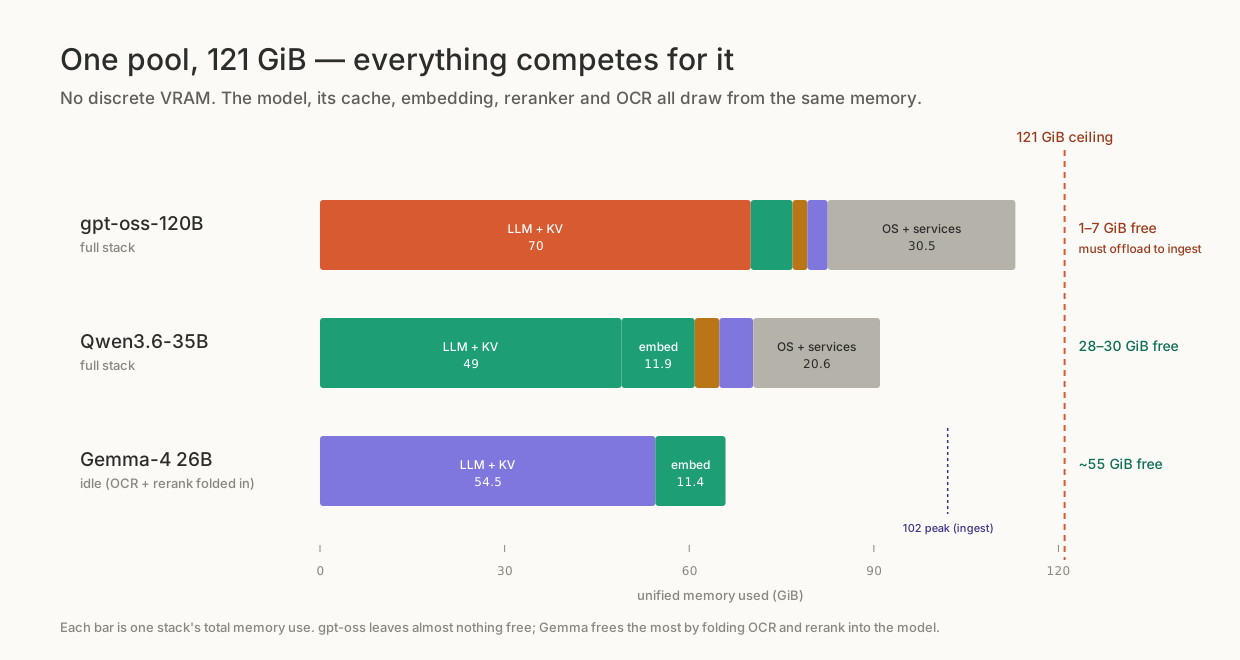
On our own DGX Spark the same architecture failed worse. The glmocr client had max_workers defaulting to 16 in config.py and 32 in config.yaml, firing 16 to 32 concurrent OCR requests at a server that could serve one. The ocr_worker Celery command had no --concurrency flag, defaulting to the core count, around 20: ten documents queued, all ten started OCR at once. Every worker process also loaded its own copy of the PP-DocLayoutV3 layout model, 1.7 to 1.8 GiB per fork, sharing memory with the language model. The box hit 114 GiB used with 7 GiB free; I stopped the OCR worker before it took the model layer down too. Zero of those ten documents reached processed, and the knowledgebase collected 38 churned failure records.
Sustainable concurrency on that configuration was 2 to 3 documents. It's marketed as an AI appliance.
Why it took months to fix
Every attempt to fix the OCR path over several months concluded GLM-OCR had to run on transformers, because its vision encoder wasn't supported by SGLang or vLLM. That belief was wrong and untested. We traced it to a throwaway comment atop ocr_server.py, written on 19 March 2026, saying the model was small enough that transformers was fast enough. It got paraphrased into "the encoder is not SGLang-supported" and copied into docker-compose.gpu-grace-blackwell.yml, the customer bundle's models.manifest.yaml, and my own project notes. Three sources that looked independent agreed, so every fresh attempt repeated the claim.
SGLang added GLM-OCR support in PR #17582 as GlmOcrForConditionalGeneration and shipped it in v0.5.9 on 24 February 2026. The model card pins sglang>=0.5.10. Our own deployment planner document had listed GLM-OCR as running on vLLM, SGLang or Ollama the entire time.
What SGLang changed
In the same week, the RunPod handler moved to SGLang, and I proved the same thing locally on the DGX Spark box, replacing the transformers sidecar with an SGLang server on the alias glm_ocr:5002.
python3 -m sglang.launch_server --model-path zai-org/GLM-OCR --served-model-name glm-ocr \
  --host 0.0.0.0 --port 5002 --attention-backend triton --disable-cuda-graph \
  --mem-fraction-static 0.30 --context-length 32768 --max-total-tokens 32768 \
  --chunked-prefill-size 8192 --trust-remote-code
Measured results:
| Measurement | transformers server | SGLang |
|---|---|---|
| Per-page OCR, text page (DGX Spark) | ~8 s | 0.42 s |
| 155-page customer PDF (RunPod) | ~37 min, often unfinished | under 5 min |
| Single-stream generation | ~133 tok/s | roughly the same |
Single-stream, SGLang is no faster than transformers at this size. The entire win is continuous batching: many pages in flight at once, weights read once and used for all of them. Sending one page at a time gets none of it.
The RunPod side ran on the lmsysorg/sglang:v0.5.13-cu129-runtime base with --served-model-name glm-ocr on port 5002 and the client pipeline at max_workers=8, for $0.465 in OCR spend on the 155-page document.
An 18-document run on the DGX box with the SGLang server OCR'd 1,148 pages with zero errors and zero OOM kills.
Four things bit us on the way:
- The stock
lmsysorg/sglang:v0.5.13-cu129-runtimeimage shipsopenaiwithout itsdistrodependency, soimport sglang.srt.server_argsdies at startup.pip3 install distrois the whole fix, confirmed by stubbing out imports one at a time against the unmodified image untildistrowas the only thing missing. - Handler dependencies must not go into SGLang's system Python: ours live in
/opt/handler-venv(--system-site-packages), and a build-time import smoke test in CI now catches environment breakage before it reaches live workers. cu129runs on RunPod's 12.8 drivers via CUDA minor-version compatibility.cu130needs driver 580 or newer, or torch silently falls back to CPU instead of failing.- On the DGX Spark's sm_121 GPU,
--attention-backend triton --disable-cuda-graphis required. FlashAttention-3 crashes, FlashInfer produces plausible-looking garbage OCR text, and triton with cuda-graphs hits an illegal memory access (SGLang issue #19799).
SGLang's /health returns a bare 200 with no JSON body, vs our old server's model_loaded field, so the readiness probe now accepts both. GLMOCR_ENGINE=transformers on the RunPod template is an unused fallback to the legacy server.
Running it on RunPod serverless
RunPod used to build the Dockerfile itself, hitting its roughly 15-minute build timeout on heavy CUDA images and leaving stale images deployed with nothing to promote. The four parser repositories now build in GitHub Actions, push to a private GHCR registry under the Certant organisation, and RunPod pulls the resulting tag.
The PP-DocLayoutV3 model, about 500 MB, lives on a RunPod network volume at /runpod-volume rather than baked into the image: about 7.3 GB instead of roughly 8, no re-download on a handler update, and MinerU and Docling share the volume. If the model isn't there, start.sh logs a warning and downloads it on first request, one to two minutes, then persists for every cold start after.
Cold start is 60 to 90 seconds: five initialisation steps run before the handler accepts a job. Patch torch.distributed (GLM-OCR imports it but never uses it; NCCL init fails on a single GPU), write a YAML config for the layout model, import glmocr after those patches, patch two glmocr bugs (OCRClient.connect becomes a no-op; PPDocLayoutDetector.__init__ gets the id2label attribute it forgets), then construct the parser with layout enabled. The endpoint sits on a 16 to 24 GB GPU, workers at 0-3, 300-second idle timeout, scaling to zero between documents.
RunPod worker logs aren't public, only the console, so debug output has to travel inside the job response.
The handler fails fast now: the worker exits 1 at startup if the text server doesn't come up, and returns an error per job when localhost:5002 is unhealthy. It used to silently emit layout-only output with almost no text. Truncated pages come back flagged finish_reason: "length", and the per-page ceiling OCR_MAX_TOKENS went from 4096 to 32768 to stop dense pages cutting off mid-clause.
The 20 MiB wall, and Ghostscript
RunPod's request body limit is about 20 MiB. We send PDFs as base64, inflating them by a third; ZIP does close to nothing on a PDF whose bulk is already-compressed images. A 39 MB scan from a customer's iMIS system failed "too large even after ZIP compression" no matter the transport.
The fix: shrink embedded images with Ghostscript before the ZIP step, only on the oversized branch (base64 over 19 MiB), in two tiers: 150 DPI at /ebook, escalating to 100 DPI at /screen if still too big. Then ZIP regardless, then check again.
| Source file | 150 DPI | 100 DPI | Outcome |
|---|---|---|---|
| 39.2 MB iMIS scan | 12.9 MB (−66%) | not needed | fits |
| 27 MB iMIS scan | 18.5 MB, still over the limit | 9.5 MB | fits after escalation |
Measured on real files from the iMIS corpus with host Ghostscript 10.06.
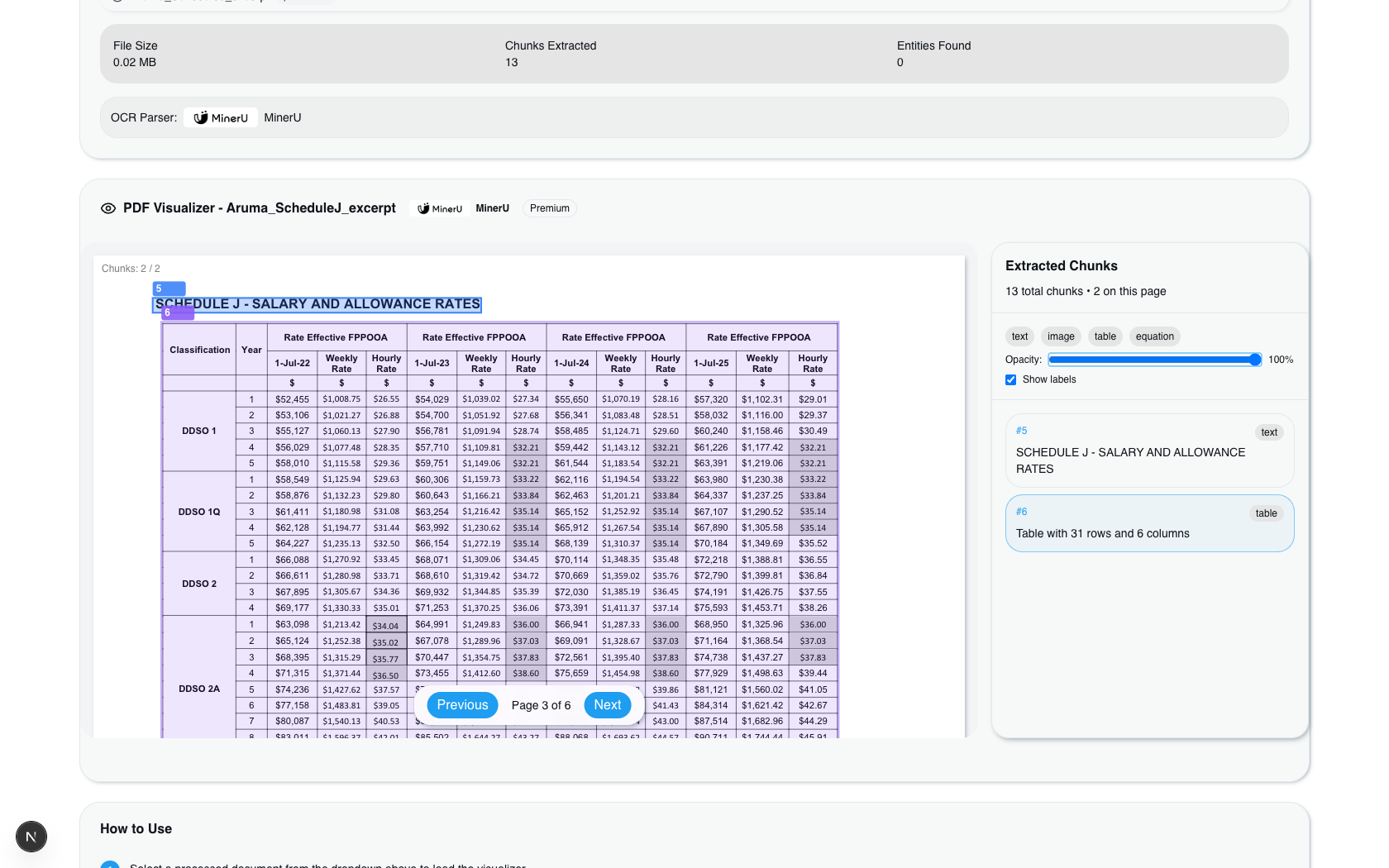
To check legibility I built a synthetic 300 DPI scan and OCR'd it with tesseract per tier: 150 DPI gives a 97% word match, 100 DPI gives 93%, 72 DPI collapses to 45%. That's why the default stays at 150, with 100 as fallback and 72 never used. The iMIS corpus is born-digital, text stored as vectors that downsampling doesn't touch, so only figures shrink; I sampled 120 files and found zero pure scans.
Ghostscript exits 0 on a corrupt or truncated PDF, writing a 2.5 KB page-less stub; the exit code lies. We detect the failure from stdout and stderr markers (couldn't initialise file, no pages will be processed, catalog dictionary not located) plus a 50 KB output size floor, and fall back to the original bytes. The downsampler never raises.
This is committed on feat/split-extraction-worker at ca3910fa, verified in a locally rebuilt container with Ghostscript 10.05.1, behind the GLMOCR_DOWNSAMPLE_OVERSIZED flag, default on. It hasn't reached the remote environments: those need Dockerfile.rag-base rebuilt to get the ghostscript package, and without that rebuild the feature silently does nothing, a bad failure mode I haven't fixed yet.
The client was throttling itself
Months after the server was fixed, a separate DGX Spark exercise tried consolidating OCR onto the Gemma4 vision model already serving chat on the same vLLM instance, instead of the SGLang server above. OCR was still the slowest stage of document ingest there, a mean of 166 seconds per document (range 69 to 234), 18 seconds per page, GPU idle between pages, averaging 7 of 64 available batch slots filled.
The cause was in our own client, and it applies to either backend. rag_service/glmocr_local/parser.py pins pipeline.max_workers from GLMOCR_PIPELINE_MAX_WORKERS, set to 1: correct for the old single-stream server, where concurrent requests queued behind the lock and timed out, and wrong against a batching vision server, which sends one page when it could take dozens.
Raising it is environment-only, no code change. Four configurations, measured on a 50-document run:
| Configuration | Per-doc OCR | Peak batch | OCR docs/hr | GPU util |
|---|---|---|---|---|
| max_workers=1, ocr_worker=4 (baseline) | 166 s | 4 | ~87 | idle |
| max_workers=8, ocr_worker=4 | 61 s | 27 | ~143 | not recorded |
| max_workers=12, ocr_worker=4 | 66 s | 41 | not recorded | CPU 15% |
| max_workers=8, ocr_worker=8 | 110 s | 57 of 64 | 222 | 96% |
Throughput rose about 2.5 times, from 87 to 222 documents an hour, and the GPU became the bottleneck instead of the client. Best latency and best throughput are different configurations; optimising a queue means the bottom row, even though each document takes longer in it.
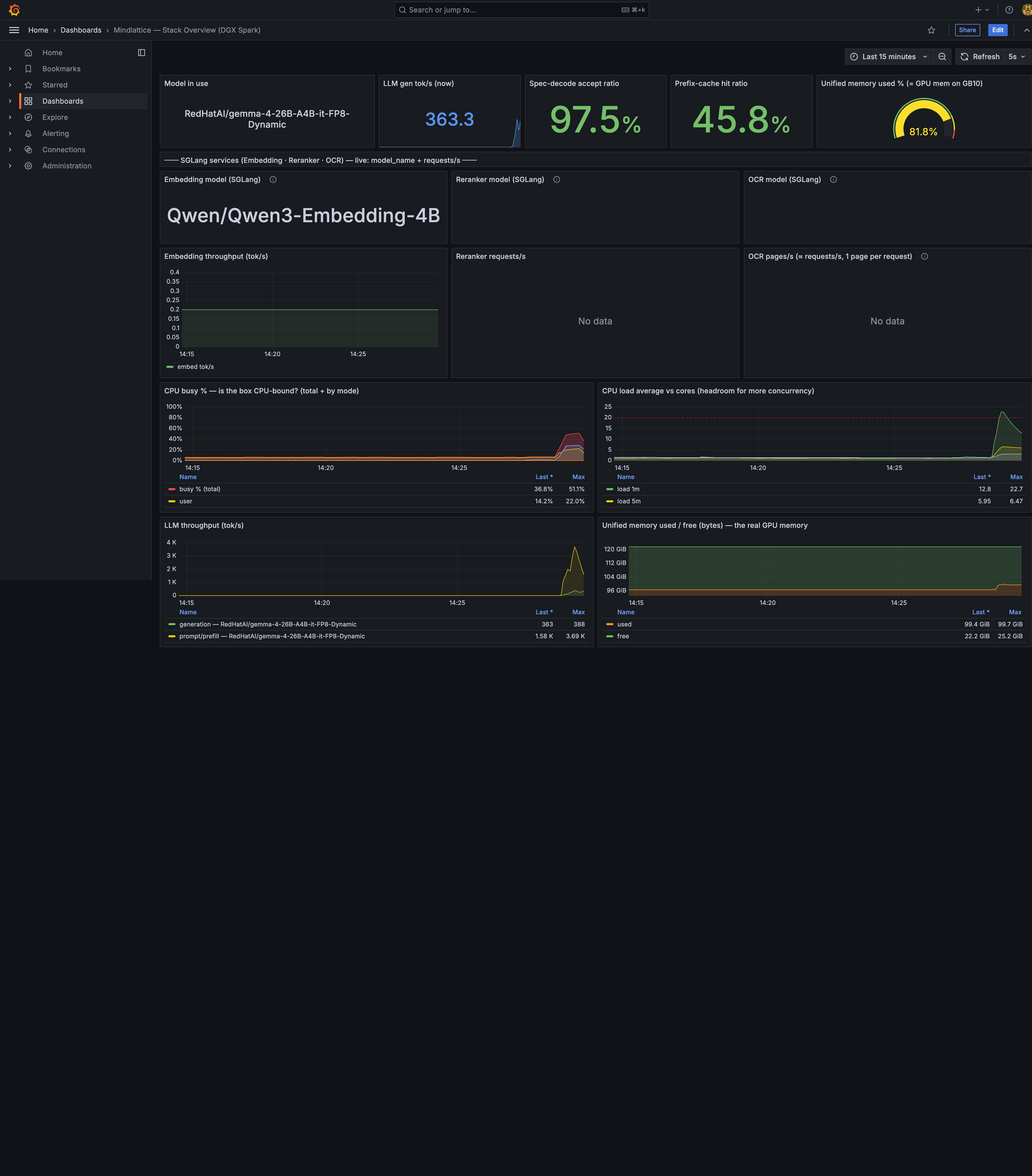
During OCR the GPU runs about 2,052 image-prompt tokens a second on prefill against only about 260 generated tokens a second, since every page image expands into thousands of vision tokens. Vision OCR is prefill-bound and compute-bound; text chat is decode-bound and bandwidth-bound. Decode-side tuning for chat (speculative decoding, larger max-num-seqs) does nothing measurable for OCR throughput. The remaining lever without more GPU is rendering pages at lower resolution, fewer vision tokens to prefill, at some cost to OCR quality I haven't measured.
At 8 workers and 8 OCR processes the box was GPU-saturated, using about 96 GiB of its 121 GiB unified pool, close enough to the edge that I wouldn't push it further on that hardware.
What is still not fixed
The client retry path still posts a new /runsync job instead of resuming the existing job_id when polling times out. At SGLang speed almost nothing takes 9.5 minutes, so it rarely fires, but the fix is submitting via /run, persisting the job_id, and resuming polling across retries. It's on the list, not done.
The retry hardening lives on the MinerU client, not the GLM-OCR one: from 3 attempts with a 1-second base backoff (about 7 seconds total) to 5 attempts with a 10-second base capped at 120 seconds (about 310 seconds). The schedule is 10, 20, 40, 120, 120 with 10% jitter, retrying only connection errors, timeouts and 502/503/504; a 400 fails immediately.
The Ghostscript downsampling is local-only until the base image is rebuilt on the remote hosts.
And the local development default parser is still mineru in config.yaml while docker-compose.customer.yml defaults to glmocr, a mismatch from when large PDFs couldn't get through the transport. That reason is gone; flipping it was proposed and hasn't happened.
If you are doing this yourself
For anyone running a vision OCR model behind an API:
# Server: continuous batching, not a lock around one model
python3 -m sglang.launch_server --model-path zai-org/GLM-OCR --served-model-name glm-ocr \
  --port 5002 --attention-backend triton --disable-cuda-graph \
  --mem-fraction-static 0.30 --context-length 32768 --chunked-prefill-size 8192

# Client: stop sending one page at a time
GLMOCR_PIPELINE_MAX_WORKERS=8      # pages in flight per document
OCR_WORKER_CONCURRENCY=8           # documents in flight
GLMOCR_DOWNSAMPLE_OVERSIZED=true   # 150 DPI, escalate to 100, never 72
Then measure batch occupancy on the server: wall-clock time on the client won't tell you the GPU is idle. Ours read 4 of 64 for months; nobody checked the dashboard.